

Oxidized is a Linux based service which has the ability to monitor a device’s configuration, including software and hardware. Current configuration is backed up from each device and stored to a GIT repository to maintain history of changes.
The process is very simple:
- Login to each device in the router list
router.db, - Run Commands to get the information that will be saved
- Clean the output
- Commit the Changes to GIT Repository
The tool is coded in Ruby, and implements a Domain Specific Language (DSL) for interaction.

Oxidized is a Linux based service which has the ability to monitor a device’s configuration, including software and hardware. Current configuration is backed up from each device and stored to a GIT repository to maintain history of changes.
The process is very simple:
- Login to each device in the router list
router.db, - Run Commands to get the information that will be saved
- Clean the output
- Commit the Changes to GIT Repository
The tool is coded in Ruby, and implements a Domain Specific Language (DSL) for interaction.
Finally, there is a Web based User experience included in the solution so we can get a fast overview of the world.
Docker Container
All of the configuration for my container is hosted at the file system location /opt/appdata/oxidized
I will also select to execute the Web Interface for Oxidized using its default port with is tcp:8888
Using the follow command, we will grab the latest container version from Docker Hub, and call the container oxidized locally. Additionally, if the container should stop, I am providing the flag to instruct docker to always restart the service again.
sudo docker run --restart always -v /opt/appdata/oxidized:/root/.config/oxidized -p 8888:8888/tcp -t oxidized/oxidized:latest oxidizedConfiguration
We need a configuration file to guide Oxidized running process
vi configThe following is the configuration sample that I am running with
---
username: admin
password: P@ssw0rd!
model: junos
resolve_dns: true
interval: 3600
use_syslog: false
debug: false
threads: 30
timeout: 20
retries: 3
prompt: !ruby/regexp /^([\w.@-]+[#>]\s?)$/
rest: 0.0.0.0:8888
next_adds_job: false
vars: {}
groups: {}
models: {}
pid: "/root/.config/oxidized/pid"
crash:
  directory: "/root/.config/oxidized/crashes"
  hostnames: false
stats:
  history_size: 10
input:
  default: ssh, telnet
  debug: false
  ssh:
    secure: false
  ftp:
    passive: true
  utf8_encoded: true
output:
  default: git
  file:
    directory: "/root/.config/oxidized/configs"
  git:
    single_repo: true
    user: Oxidized
    email: oxidized@email.target
    repo: "~/.config/oxidized/oxidized.git"
source:
  default: csv
  csv:
    file: ~/.config/oxidized/router.db
    delimiter: !ruby/regexp /:/
    map:
      name: 0
      ip: 1
      model: 2
      username: 3
      password: 4
model_map:
  cisco: ios
  juniper: junos
  unifiap: airos
  edgeos: edgeos
Device list
The table based on the configuration we just defined, will be formatted as follows
| Name | IP | Model | Username | Password |
|---|---|---|---|---|
| Device Name | 172.16.1.x | unifiap | sysadmin | P@ssw0rd! |
To populate the table, we can open the editor vi router.db, and then inset the following sample entries
Bedroom1_ap:172.16.1.114:unifiap:sysadmin:P@ssw0rd!
Kitchen_ap:172.16.1.121:unifiap:sysadmin:P@ssw0rd!
Cinema_ap:172.16.1.160:unifiap:sysadmin:P@ssw0rd!
ServerRoom_ap:172.16.1.115:unifiap:sysadmin:P@ssw0rd!
Firewall:172.16.1.1:edgeos:ubnt:Sc0rp10n!
Now, we are ready, we have the configuration all set for this installation
Web Interface
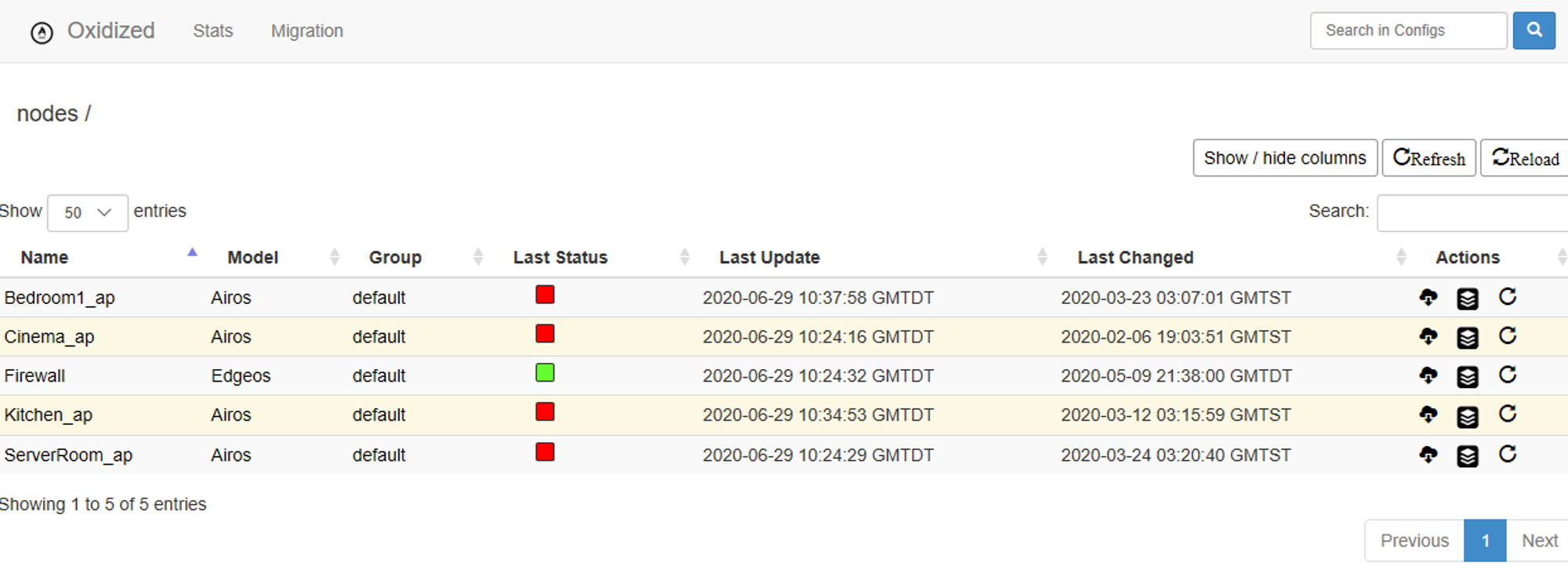
Launching our browser to the oxidized site hosted on TCP 8888 renders the current status
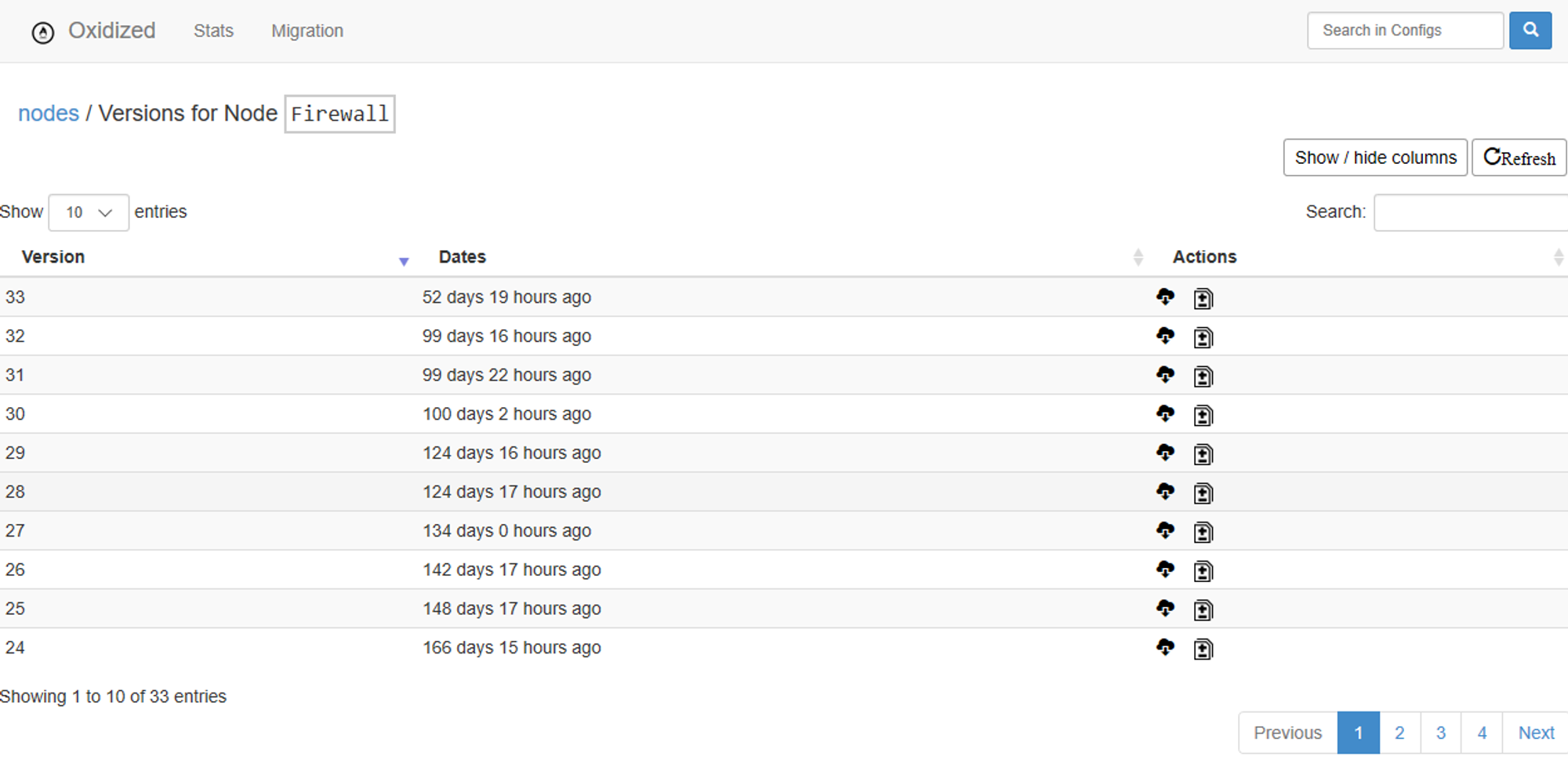
From here we can see all the version changes for the devices configuration
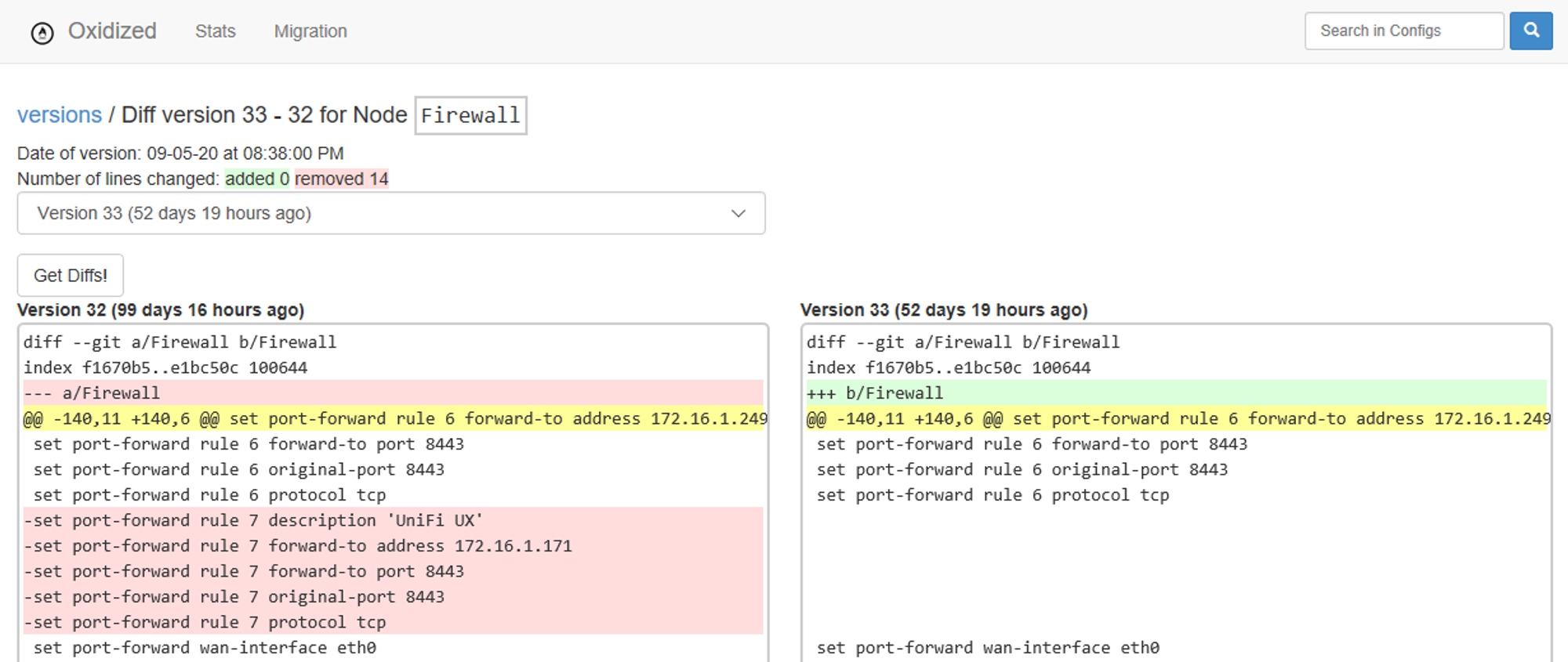
And even select any one of these change sets, and view the changes which were applied to the configuration
Closing Thoughts
Now, How do you think this might work with Azure?…


More articles

Streaming Vinyl On Sonos
Mixup some Vyinl Oldies, a little Ice to cast, and a PI for some energy, and your ready to go
A little known trivia - I was once a Disc Jokey, and spent a lot of my youth behind the decks, in clubs around the West Of Ireland. Today, I still am the proud owner of a very large collection of Vynil and CD music, which of course deserves to get a second life with my digital streaming audio system powered by Sonos

Guacamole Azure Appliance
Apache Guacamole is a free and open source web application which lets you access your dashboard from anywhere using a modern web browser. It is a clientless remote desktop gateway which only requires Guacamole installed on a server and a web browser supporting HTML5.
Guacamole is the best way to keep multiple instances accessible over the internet. Once you add an instance to Guacamole, you don’t need to remember the password as it can securely store the credentials. It also lets you share the desktops among other users in a group. Guacamole supports multiple connection methods such as SSH, Telnet, VNC, and RDP.

CBus MQTT Bridge on Raspberry PI
Turn back to 2007; My wife and I built our home, integrating many smart technologies, including the Clipsal C-Bus lighting system. This solution is classified as a Prosumer technology, and is designed to integrate into whole house automation systems.
The C-Bus system implements however a propriatory technology, and utilizes a communication protocol which is not ‘open source’; however, accepting a licence agreement will permit access to this protocol for creating an programming interface.